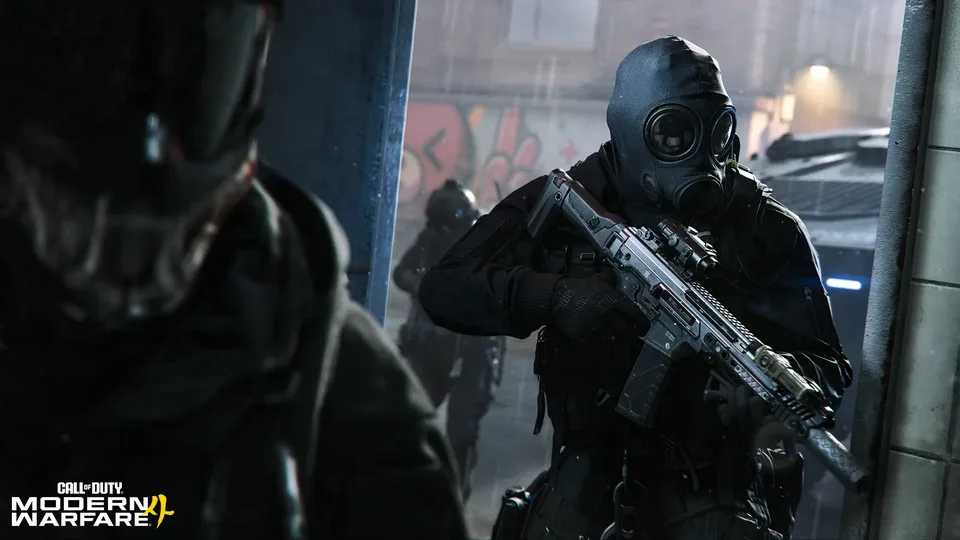
Call of Duty: Modern Warfare 4 Discord Linking and Rewards Guide
Connect your Discord account to Activision for Call of Duty: Modern Warfare 4 to claim an exclusive launch Calling Card and unlock Discord social features.
Published: Call of Duty: Modern Warfare 4 Wiki Editorial Team
Table of Contents
Connecting Discord to Call of Duty: Modern Warfare 4
Activision and developer Infinity Ward have officially introduced account integration between Discord and the Call of Duty ecosystem. Designed ahead of the release of Call of Duty: Modern Warfare 4, this system links your third-party voice and messaging profile directly to your central Activision identity.
Players who establish the connection early secure a promotional in-game reward at launch: an exclusive Modern Warfare 4 Calling Card. Beyond immediate cosmetic incentives, the infrastructure establishes the framework for native, Discord-driven social capabilities.
Whether you run matches on PC through Steam or squad up on console hardware, linking your credentials now ensures your Activision ID is eligible for launch rewards while streamlining future cross-platform party coordination.
Step-by-Step: How to Link Discord to Your Activision Account
The authentication process relies on OAuth web verification. You do not need to install additional client software, but you must ensure you log into the exact Activision profile linked to your primary gaming platforms.
Log into Activision: Click Sign In and enter the credentials for your Activision account. If your account uses platform sign-in (such as Steam, PlayStation Network, or Xbox Live), select that respective platform provider to authenticate.
Authorize Discord Access: When redirected to Discord's authorization screen, confirm that the displayed Discord handle belongs to your active account. Review the requested basic permissions and click Authorize.
Confirm Connection Status: Return to your Activision Account Profile management dashboard. Look under the Linked Accounts or Social Networks section to ensure your Discord tag appears as successfully connected.
Tip
If you utilize strict privacy extensions or third-party script blockers, temporarily disable them on the authorization page. The Activision portal relies on OneTrust cookie frameworks and external redirects that can stall if tracking scripts are prematurely blocked.
Modern Warfare 4 Launch Calling Card Details
The initial tangible reward for completing the account link is an exclusive Call of Duty: Modern Warfare 4 Calling Card delivered on day one. Calling Cards serve as core personalization banners displayed on your killcam, player showcase, and lobby preview cards.
The Calling Card is an account-level entitlement. Because Call of Duty tracks inventory through your master Activision ID rather than isolated platform accounts, claiming the unlock registers it across every connected ecosystem tied to that ID.
According to promotional details, the Calling Card becomes accessible within your customization menu once Modern Warfare 4 launches. You do not need to enter a manual redemption code; the system automatically flags eligible accounts upon initial login to the retail client.
Reward Feature
Official Specification
Verification Condition
Item Type
In-Game Calling Card
Cosmetic profile banner
Eligible Title
Call of Duty: Modern Warfare 4
Base game launch client
Distribution Method
Automatic Account Grant
Linked via official portal
Developer Lead
Infinity Ward
Registered under App ID 4435490
Platform Scope
Cross-Platform (PC/Steam, Consoles)
Tied to unified Activision ID
Discord-Powered Social Features: What to Expect
Activision's promotional campaign explicitly highlights that linking accounts prepares players for upcoming "Discord-powered social features." While full implementation notes remain slated for post-reveal patch overviews, technical trends and community observations point toward several quality-of-life upgrades.
Rich Presence and Lobby Status
Standard Discord Rich Presence displays what game you are playing. Integrated social tools go significantly further, communicating your current multiplayer playlist, squad capacity, map location, and real-time score directly to your Discord server or DM friends list.
This visibility allows friends to see whether you are mid-match in a high-stakes Search and Destroy round or waiting in a pre-game lobby before sending an invite.
Direct Party Invites and Voice Synchronization
Cross-play voice chat has historically required players to rely on either in-game team channels or separate third-party voice apps on mobile and desktop.
With deep Discord integration, players anticipate streamlined voice room handoffs, allowing console and PC squadmates to connect directly to Discord voice channels from within the Modern Warfare 4 interface without balancing multiple audio mixers.
Clan and Guild Alignment
Community reports across previous integration initiatives suggest that clan tags and community hubs may eventually synchronize with authorized Discord servers. This would simplify clan administration, roster tracking, and team scrim scheduling for competitive or casual groups alike.
Warning
While Activision confirms future Discord social features are in development, specific mechanics such as direct in-game text relay or automated server roles have not yet been detailed. Avoid joining unverified third-party Discord bots that claim to grant early access to unannounced in-game tools.
Platform Identity: Steam and Activision Account Architecture
For PC gamers running Call of Duty: Modern Warfare 4 via Steam (Steam App ID: 4435490), account linking functions through a multi-tier identity stack. Understanding how these accounts interact prevents lost progression and missed rewards.
Your Steam account holds your software license and purchase verification. Your Activision account holds your cross-progression data, weapon unlocks, friend lists, and promotional entitlements like the Discord Calling Card.
When you authorize Discord through the Activision portal, Discord pairs directly with the Activision ID, not directly with the Steam client executable. As long as your Steam ID remains linked to that same Activision profile, any entitlement granted by Activision flows smoothly into your PC game instance.
If you maintain separate Activision accounts across different titles or platforms, verify your primary account's linked identities before authorizing Discord. Linking Discord to a secondary or dormant Activision profile will prevent the launch Calling Card from appearing on your primary Modern Warfare 4 soldier profile.
Troubleshooting Common Discord Linking Issues
While the linking process is straightforward, account discrepancies or browser caching can create authentication loops. Use this quick reference checklist to diagnose common linking roadblocks.
[ ] Verify Active Logins: Log into Discord on your default web browser before opening the Call of Duty portal to ensure OAuth binds the correct username.
[ ] Clear Redirect Cookies: Clear browser cache or use an incognito window if the authorization page continually bounces back to the Activision homepage.
[ ] Review Connected Accounts: Inspect your Discord desktop app under User Settings > Connections to confirm Activision appears in your active list.
[ ] Check Single-Account Limits: Ensure your Discord tag is not currently tied to an older, forgotten Activision account; a Discord profile can only link to one Activision ID at a time.
[ ] Check Age and Privacy Settings: Minor-restricted accounts or profiles with severe social communication blocks may fail third-party OAuth validation.
Player experience shows that the most frequent error involves logging into an alternate Discord account saved in the browser's session history. If you accidentally link the wrong tag, navigate to your Activision Profile dashboard, select Unlink next to Discord, wait several minutes for server sync, and re-run the authorization flow using the correct profile.
Account Privacy and Data Sharing
Connecting third-party services requires granting basic permissions. The official Call of Duty Discord authorization requests access to your Discord username, avatar, and unique user snowflake ID to bind your profile.
It does not grant Activision access to private direct messages, server channels, or payment details stored within your Discord Nitro settings. Similarly, Discord does not receive access to your real-world billing addresses or stored payment options within the Call of Duty store.
Players can review and revoke third-party app authorizations at any time within their Discord settings under Authorized Apps. Keep in mind that revoking authorization prior to the launch of Modern Warfare 4 may invalidate your eligibility for the promotional Calling Card or interrupt upcoming Discord social capabilities.
Do I need to pre-order Modern Warfare 4 to receive the Discord Calling Card?
No. The official requirement specifies linking your Discord account to your Activision Account. While the portal features pre-order navigation for the upcoming title, account linking itself is free and independent of pre-ordering the game.
Can I unlink my Discord account later without losing my reward?
Community reports from prior Call of Duty promotions indicate that unlinking an authorized service before launch entitlements are distributed can cause inventory sync errors. It is safest to keep the accounts connected through the official launch window.
Does this integration work for Modern Warfare 4 on Steam?
Yes. Steam users simply need to make sure their Steam account and their Discord account are both linked to the same master Activision account. Entitlements sync across all connected platforms automatically.
When will the Calling Card appear in my inventory?
The promotional Calling Card is scheduled to deploy at the official launch of Call of Duty: Modern Warfare 4. It will not appear in existing titles such as older Modern Warfare releases or Warzone unless specifically updated with cross-title support.